
 referrals
How to Use Digital Business Cards to Generate More Referrals
Digital business cards can support more referrals when they make your expertise easy to remember, give contacts a clear way to share your information, and help you follow up with context. Make the referral action specific, stay useful after the introduction, and track which relationships create meaningful opportunities.
How to Use Digital Business Cards to Generate More Referrals
Referrals usually begin with a conversation, not a sales pitch. Someone learns what you do, remembers a person who might need it, and decides whether your name is easy enough to pass along.
A digital business card can make that handoff simpler. It gives people one link to save, forward, or revisit when the right conversation comes up. But the card itself does not create trust or referrals. Your positioning, follow-up, and usefulness do that work.
Make Your Expertise Easy to Repeat
A referral partner needs to explain what you do without rewriting your website. If your profile says you help everyone with everything, people will struggle to remember when to mention you.
Use a clear description that answers three questions:
- Who do you help?
- What problem do you solve?
- What result can people expect?
For example, “I help local professional service firms organize referral leads so promising conversations do not get forgotten” is easier to repeat than “I provide business growth solutions.” Specific language gives your contacts a useful sentence to borrow.
Your headline, short introduction, and call to action should support the same message. The goal is not to include every service. It is to make the right referral feel obvious.
Give Referral Partners a Shareable Link
A referral is easier when the next step takes seconds. Your digital card should have a short, memorable link that works well in a text message, email, or social post.
Make sure the page loads quickly on a phone and that the important information appears without a lot of searching. Include your name, role, company, contact options, and a short explanation of who you help.
You can also add a referral-friendly call to action. Instead of a generic “Learn more” button, try “See how I help service businesses” or “Book a conversation about referral leads.” The wording should tell a new visitor what will happen next.
If you use different cards for different audiences, keep the main message consistent. A partner should not wonder whether they have found the right person after sharing your link.
Build Trust Before Asking for Introductions
The strongest referral relationships are reciprocal and specific. Before asking someone to introduce you, look for ways to make their work easier.
Share a useful resource, make a relevant introduction, or follow through quickly on something you promised. These actions show that you care about the relationship rather than treating every contact as a distribution channel.
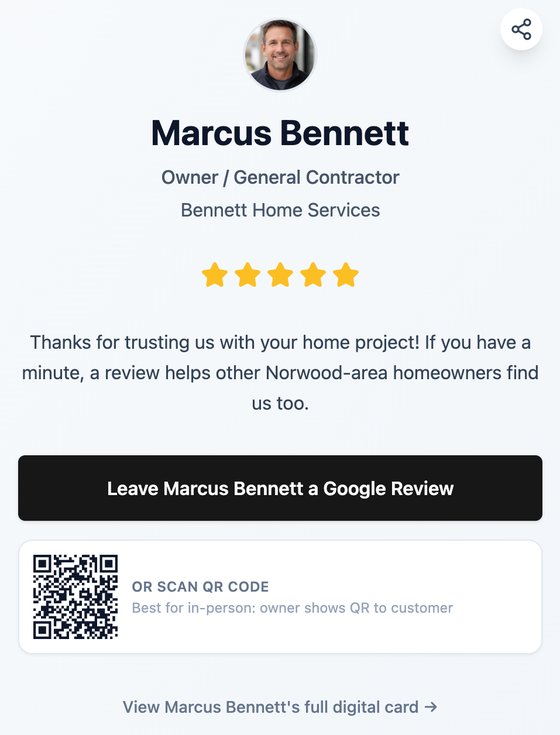
When the timing is right, explain the type of person you can help. A focused request is easier to act on than “Keep me in mind for anyone who needs my services.” You might say, “If you meet a small agency that is losing track of warm leads after events, I would be glad to compare notes with them.”
This gives your partner a situation to recognize. They do not need to memorize your entire offer.
Follow Up After the Referral Conversation
After someone agrees to keep you in mind, send a short follow-up with the link to your digital card. Thank them, repeat the kind of introduction that would be useful, and give them something they can forward.
For example:
“Thanks for talking today. The businesses I help most are small service teams that collect promising contacts but do not have a consistent follow-up process. Here is my card if someone in your network mentions that problem: [your link]. I will also keep an eye out for people who could use your expertise.”
The message works because it is specific and easy to use. It does not pressure the person to produce an introduction immediately.
Create a Simple Referral Resource
Your digital card can point to one helpful resource that demonstrates how you think. This could be a checklist, short guide, case study, or answer to a common question.
Choose something that helps a potential referral decide whether a conversation is worthwhile. A useful resource creates a better first impression than a page full of broad claims.
Keep the resource current and make sure the link works on mobile. If a partner forwards it, the recipient should quickly understand what problem it addresses and how to reach you.
Track Relationships, Not Just Clicks
Analytics can show that someone opened your card, but a click is not the same as a referral. Track the context around meaningful interactions:
- Who shared your information
- Which audience or problem they had in mind
- When the introduction happened
- Whether the person replied or booked time
- What you should do next
This helps you identify the relationships and messages that create useful conversations. It also gives you a reason to follow up with referral partners without sending empty check-ins.
Review the list monthly. Thank people who made introductions, update anyone whose audience has changed, and remove assumptions that are no longer relevant.
The Bottom Line
Digital business cards support referrals by making your expertise clear, your information shareable, and your next step easy to find.
Use a focused message, build trust before asking, give partners a link they can forward, and follow up with specific context. Then track the relationships that lead to real conversations instead of measuring success by card views alone.
A good referral system does not make people feel like sales representatives. It helps them recognize when your work could genuinely be useful and gives them a simple way to connect you.
What should you do?
- Best for
- Consultants, service providers, and independent professionals People who build business through trusted relationships Small teams that want a consistent referral process Professionals who already use digital business cards at events and meetings
- Use this when
- You rely on referrals to grow your business You meet potential referral partners through networking or events You want your contact information to be easy to share after an introduction You need a simple way to stay visible without constant promotion
- Avoid if
- Asking for referrals before building enough trust Giving contacts a vague description of who you help Sending generic check-ins with no useful reason Tracking shares without learning which relationships lead to real conversations
- Alternatives
- [How to track digital business card leads](/how-to-track-digital-business-card-leads) - organize new contacts and next steps [How to build a follow-up system](/how-to-build-a-follow-up-system) - create a repeatable process [Digital business cards for consultants](/digital-business-cards-for-consultants) - tailor your profile to your audience
Stop letting connections go cold
My MASH Card captures who you meet, remembers the context, and helps you follow up before the opportunity disappears.


