
 lead-capture
Why Your Business Card Should Capture Leads, Not Just Share Info
A business card should capture leads because sharing contact information alone does not preserve the context or next step needed for a useful follow-up. A strong digital card makes it easy for someone to contact, book, or request information from you while helping you remember why the conversation mattered.
Why Your Business Card Should Capture Leads, Not Just Share Info
Your business card should do more than tell someone who you are. It should make it easy to remember the conversation, save the right information, and take a useful next step. Sharing your name, email address, and website is helpful, but a card that only displays information leaves the most important part of networking up to memory.
A better digital business card helps capture leads while the interaction is still fresh. That can mean collecting a contact's details, recording where you met, noting what they care about, or guiding them to request a quote, book a call, or send a message. The goal is not to collect as many contacts as possible. The goal is to preserve enough context to make a relevant follow-up possible. That is the core idea behind a digital business card with lead capture.
Why is sharing information alone not enough?
A traditional business card answers one question: how can someone reach you? It usually does not answer the questions that matter after the exchange: What did we discuss? Why might this person be a good fit? What did I promise to send? When should I follow up?
Those questions are where opportunities are won or lost. Someone may scan your QR code, open your profile, and even save your contact information. If the interaction ends there, you still have no reliable way to remember the person or continue the conversation. The card worked as a directory entry, but it did not work as a lead capture tool.
This is especially obvious after a busy conference, networking event, open house, or sales day. You may meet dozens of people. By the end, names blur together, notes are scattered across your phone, and the people who seemed most interested become difficult to identify later.
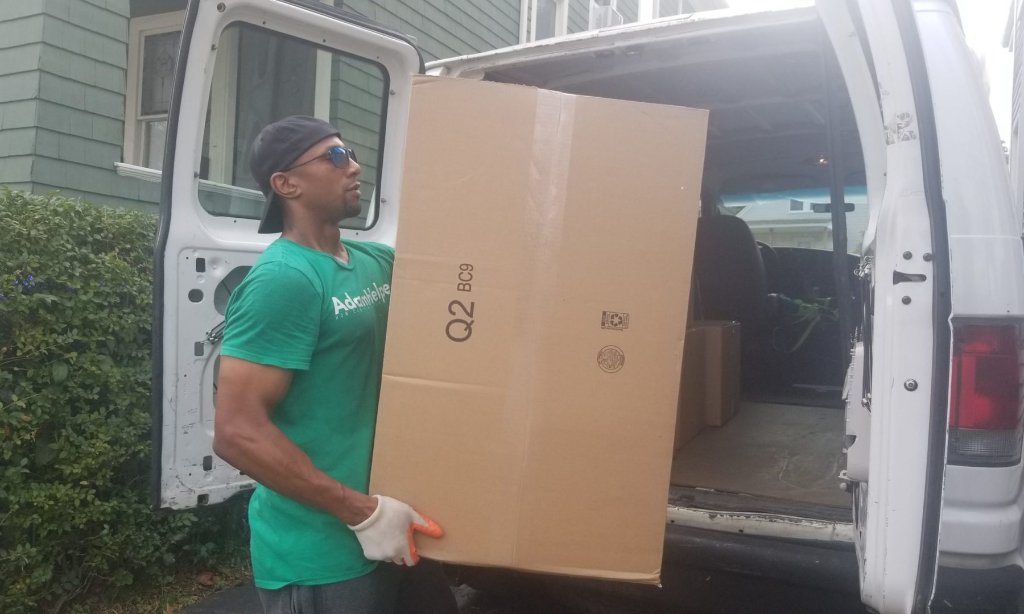
The failure is usually quiet, not dramatic. When I ran AdamHelper, a moving and labor service, I met a steady stream of real estate agents through customer moves. We would talk about referrals, trade cards, and part with good intentions. Their cards went into my pocket and mine went into theirs, and then nothing happened. Neither side had a system that captured the moment, so the follow-up never happened on either end. Those connections were worth something, and they simply faded.
A digital business card should reduce that friction. It should help both sides do something useful immediately, instead of hoping that a future follow-up happens on its own.
What does lead capture mean for a business card?
Lead capture means creating a simple path from an introduction to a possible business relationship. It does not have to be a long form or a complicated CRM process. In many cases, it starts with a clear next action and a small amount of useful context.
A lead capture flow might let someone:
- Save your contact details directly to your phone
- Send you a message about the conversation
- Request a quote or consultation
- Book time on your calendar
- Join a relevant email list
- Share what service, product, or topic interests them
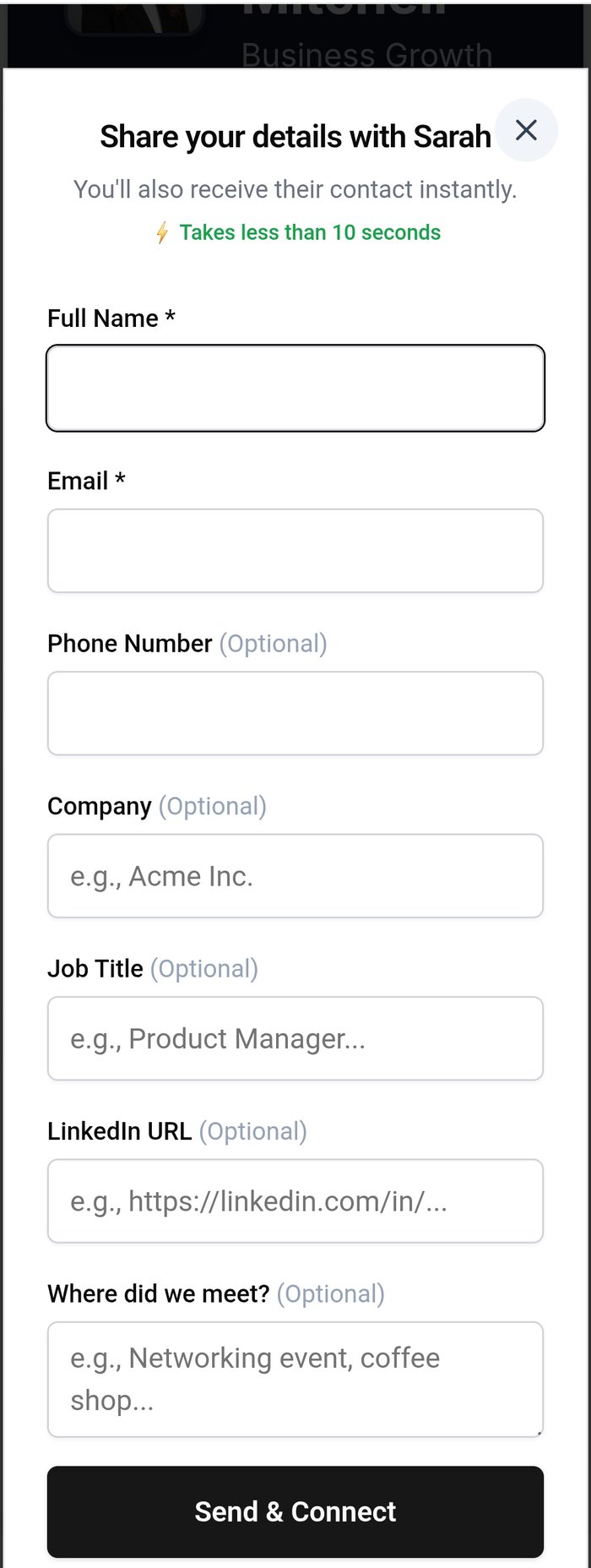
On your side, lead capture might include a note about where you met, a tag for the event or industry, and a reminder to follow up. The best system is one you can actually use during a real conversation. If it takes several minutes and feels awkward, people will skip it.
Lead capture is not about turning every interaction into a sales pitch. It is about making the next step clear and preserving the details that make the next conversation personal.
What happened when I ran trade show booths?
When I ran trade show booths for HapYak, a SaaS video platform, electronic scanners made it easy to collect leads. Someone could scan a badge, and their name and email address would appear in a list. On paper, that looked efficient.
The problem was that a scanner captured very little of the actual conversation. After a long day, I could see a person's name, company, and contact information, but not always the reason the conversation mattered. Did they want a product example? Were they evaluating tools for a specific team? Did I promise to introduce them to someone? Without that context, the follow-up became generic.
That experience changed how I think about digital cards. The point is not simply to create a larger contact list. The point is to create a more useful contact record. A short note such as "interested in video onboarding for a distributed sales team" is more valuable than another name I cannot place.
Your business card should support that kind of memory. It should help turn a quick introduction into a relationship you can continue thoughtfully.
What should a lead capture card include?
Start with the basics. Your name, role, company, email address, phone number, website, and social links should be accurate and easy to find. A clean profile builds trust before you ask someone to take another action.
Then choose one primary next step. If you are a consultant, that might be booking a discovery call. If you are a contractor, it might be requesting an estimate. If you are a coach, it might be scheduling an introductory conversation. If you work in sales, it might be requesting a product demo or sending a question.
A card with ten competing buttons creates work for the person you just met. A card with one obvious next action feels more helpful. You can still include secondary links, but the main action should match the reason people are likely to contact you.
Finally, include a way to preserve context. That may be a short lead form, a message prompt, a note-taking habit, or tags inside your contact workflow. The exact feature matters less than the result: you should be able to tell the difference between a casual contact and someone who asked for a specific follow-up.
How can you capture leads without making networking awkward?
The easiest way to avoid awkwardness is to make the process useful for both people. Do not interrupt a good conversation to force someone through a long form. Share your card naturally, explain the next step, and let the other person choose what happens next.
For example, you might say, "Here is my card. If the project sounds relevant, you can use the consultation link, and there is also a place to send me a quick note so I remember what we discussed."
That gives the person control and makes the purpose clear. You are not demanding personal information just to add another record to a database. You are offering a way to continue the conversation.
Keep forms short. Ask only for information you will actually use. Name, email, company, and one question about what they need may be enough. If you need more detail, collect it later after trust has been established.
You can also use a simple post-event routine. After each meaningful interaction, add the person's name, location, topic, and next step to your notes. A digital card can make the contact exchange easier, but your follow-up habit is what gives the lead long-term value.
How is lead capture different from collecting contacts?
Collecting contacts is a quantity exercise. Lead capture is a relevance exercise.
A contact list tells you who someone is and how to reach them. A useful lead record tells you why the relationship might matter and what should happen next. Both have value, but confusing them creates weak follow-up. You can have hundreds of contacts and still lack a workable pipeline.
This distinction also helps you decide what to measure. Instead of celebrating every scan, look at whether people take a meaningful action. Do they send a message, book a call, request information, or respond to your follow-up? Those signals tell you whether your card is helping people move forward.
The best digital card is not necessarily the one with the most features. It is the one that turns a real interaction into a clear, respectful next step.
How do digital business card tools compare?
Different tools emphasize different parts of the experience. Linq and Blinq are known for simple sharing and profile presentation. HiHello focuses on professional digital cards and team use cases. Popl is associated with digital networking and lead capture. Each can be useful, depending on whether your main priority is design, sharing, team management, or collecting information after an exchange.
MASH Card is designed around the practical gap between sharing information and building a relationship. It supports QR code and link sharing, not NFC hardware. The useful question is what happens after someone receives your card. Can they take the next step easily, and can you remember enough about the interaction to follow up well?
If you are starting from scratch, review how to create a digital business card. If you already share digitally but lose track of people afterward, how to track digital business card leads and follow up is the more important next step. You can also compare your current process with what makes a digital business card actually convert leads.
What mistakes should you avoid?
The first mistake is asking for too much information too early. A lead form should feel like a helpful invitation, not an application. Remove fields that do not affect your next action.
The second mistake is giving people too many destinations. If your card links to every social profile, article, service page, and booking tool you have, the person may not know where to begin. Choose the action that best matches your current goal.
The third mistake is failing to follow up. Lead capture without follow-up creates a more organized version of the same problem. Set a reminder while the conversation is fresh, then write a message that refers to something specific. A simple note about the event or topic can make the message feel human instead of automated.
The fourth mistake is treating every lead the same. Someone asking for a proposal needs a different response from someone who wants to stay in touch. Use tags, notes, or categories so your follow-up reflects the relationship.
Should every business card capture leads?
Most businesses should have a lead capture path, but not every interaction needs a formal form. The right level of capture depends on the context.
A casual introduction may only require sharing your profile and saving the person's information. A sales meeting may justify a booking link or a request form. A conference conversation may call for a short note and an event tag. A service business may benefit from a direct quote request.
The principle is simple: match the capture process to the value and intent of the interaction. Keep it light when the conversation is casual. Add structure when there is a real opportunity to continue.
Your business card is often the first digital handoff between you and a potential client, partner, customer, or referral source. It should not merely announce that you exist. It should help the right person move forward and help you remember why the connection matters.
Start with one clear action, one short way to share context, and one dependable follow-up habit. That is enough to turn a business card from an information page into the beginning of a relationship.
What should you do?
- Best for
- Sales professionals, consultants, contractors, coaches, event professionals, and small business owners who need to turn networking conversations into organized follow-up opportunities.
- Use this when
- Use lead capture on your digital business card when you regularly meet potential clients, partners, referral sources, or customers and need a clear next step after the conversation.
- Avoid if
- Avoid long forms, too many competing links, collecting information you will not use, and capturing leads without a reliable follow-up routine.
- Alternatives
- For casual introductions, share a simple profile and save the contact. For higher-intent conversations, use a short form, booking link, quote request, or message prompt.
Stop letting connections go cold
My MASH Card captures who you meet, remembers the context, and helps you follow up before the opportunity disappears.


